Run your security team without the spreadsheets
Rotas, mobile clock-in, lone-worker check-ins, holidays and pay-run figures in one place. Made for UK security and facilities firms by someone who works in the industry.
Free for up to 5 employees. No card needed.
Sound familiar?
- The rota lives in a spreadsheet only one person can edit.
- Shift swaps and cover requests get lost in WhatsApp.
- Nobody knows the night guard is fine until the morning.
- Holiday pay is a guess, and someone always queries it.
Shyftr replaces the spreadsheet, the group chat and the paper check-in log with one system your team will actually use.
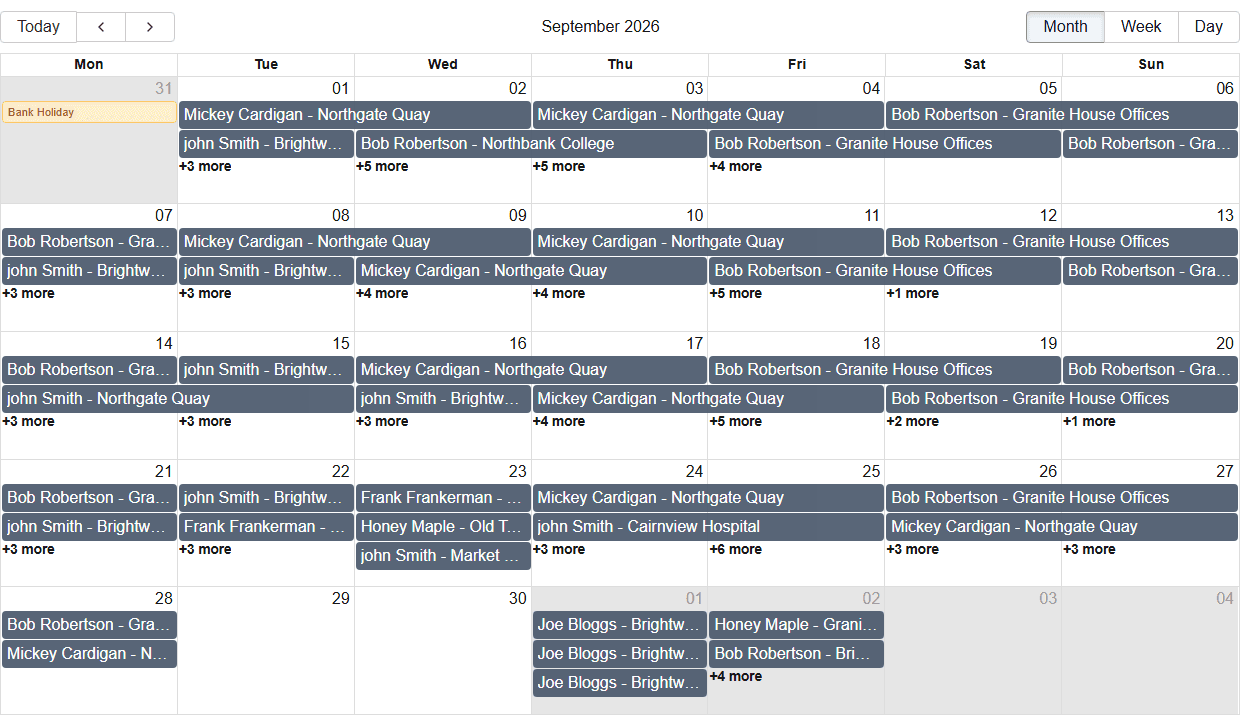
Build the rota in minutes, not evenings
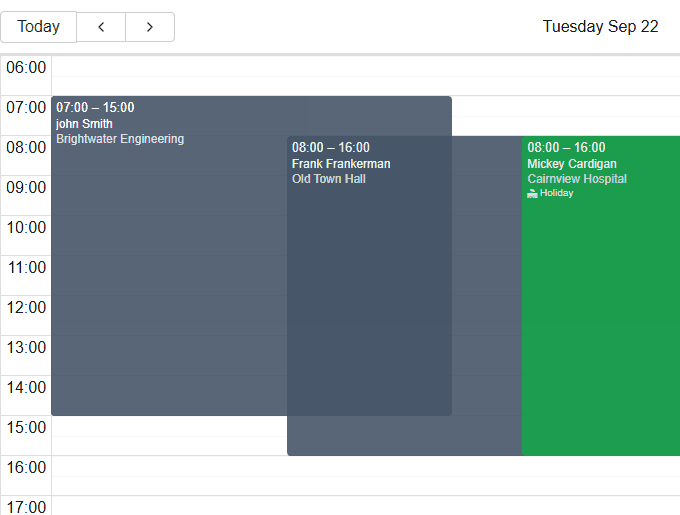
Drag shifts onto the calendar, assign staff by dragging them across, and switch between day, week and month. Open shifts stand out until someone covers them.
- Recurring shifts and reusable templates
- Warnings for unassigned shifts and holiday clashes
- Search and filter by employee, site or status
- Log a shift that already happened, after the fact
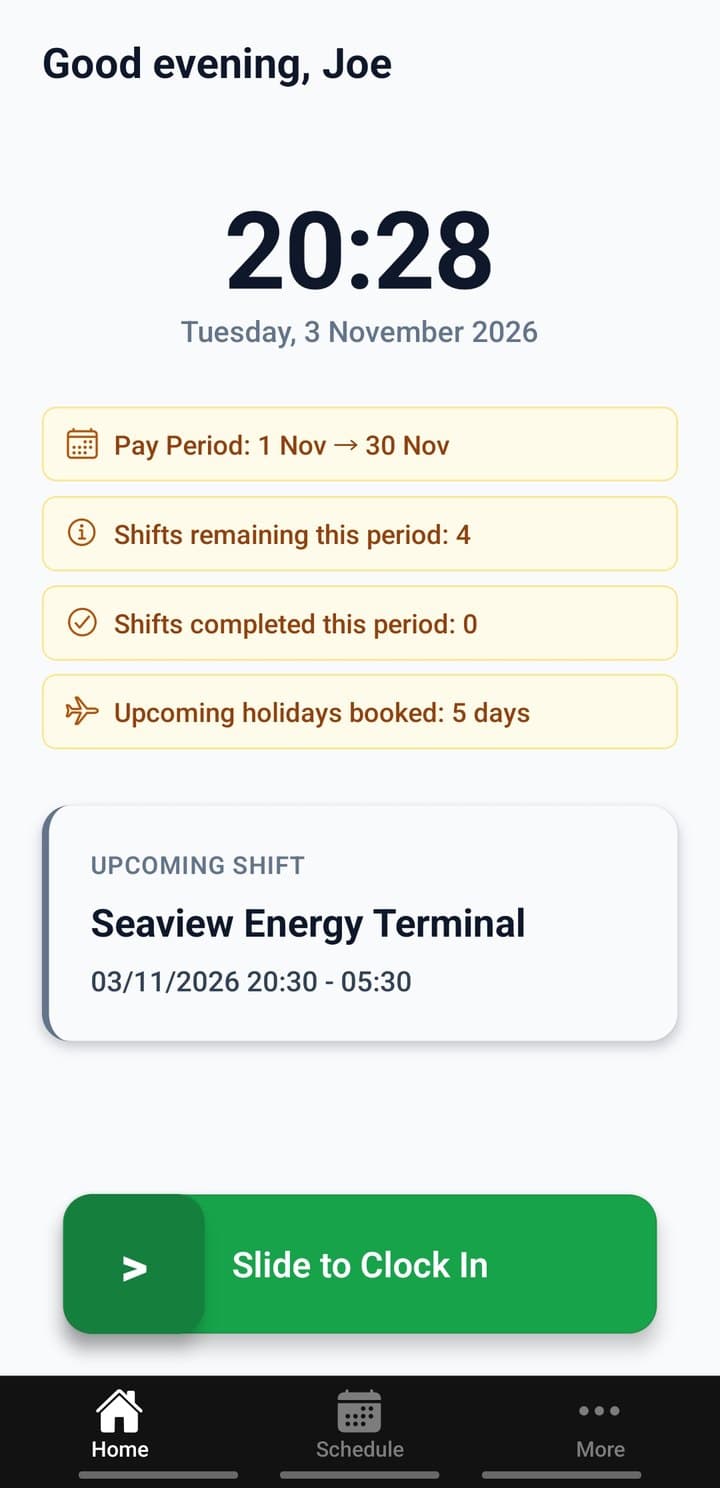
Know your lone workers are safe
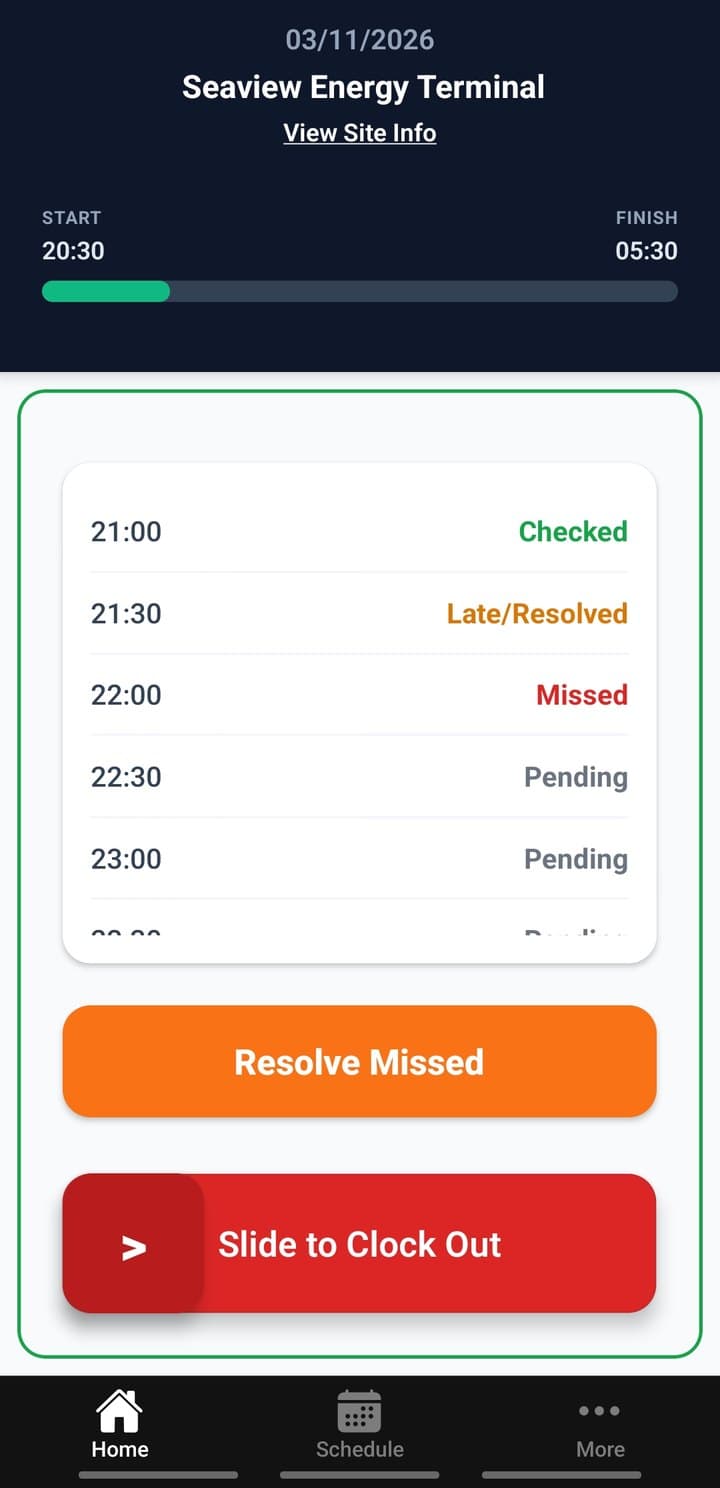
Staff clock in on their phone, and Shyftr checks they're inside the geofence for that client site. On shifts that need it, they check in at the interval you choose. Miss one and the control room gets an alert.
- GPS geofence per site, using OpenStreetMap
- Welfare check-ins with missed check-in alerts and push notifications
- Out-of-zone clock-out requests for managers to review
- Managers can clock staff in or out remotely
Welfare check-ins are included. They normally cost extra as a separate system.
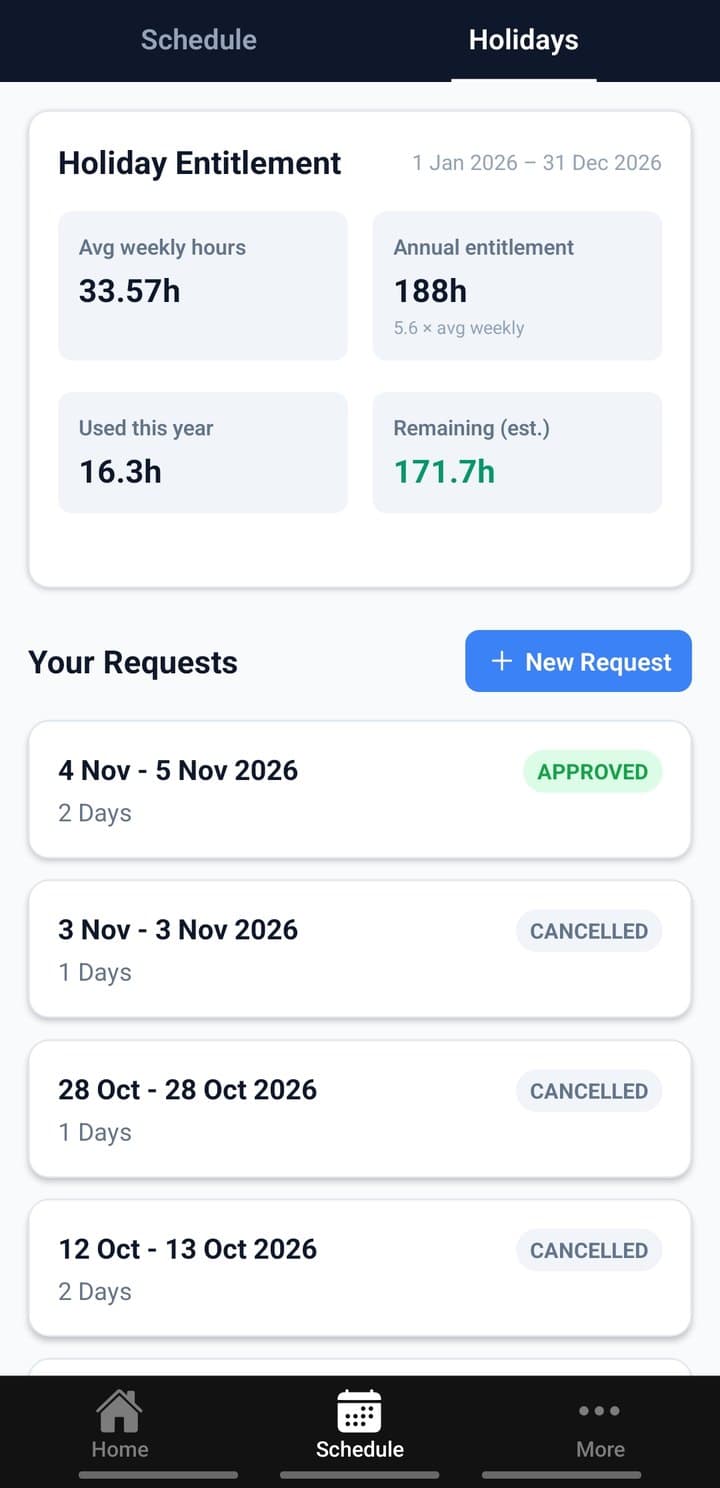
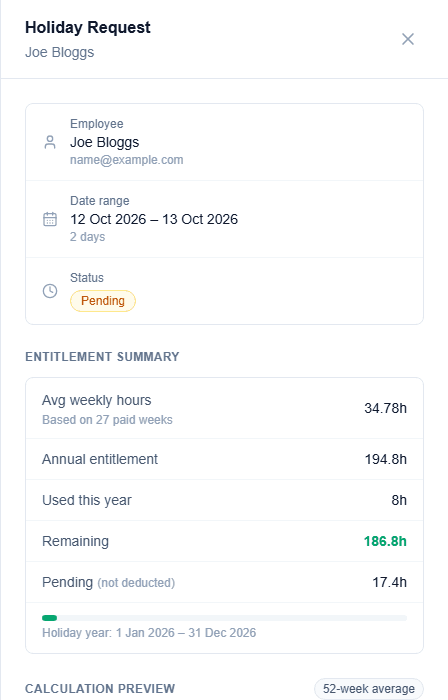
Holiday pay worked out properly
Staff request holiday from the app or the employee portal. You see their entitlement and the hours for the request before you approve, based on the 52-week reference average the statutory rules use.
- Entitlement shown to staff, so fewer questions
- Approving frees their shifts for cover automatically
- Remove single days without cancelling the whole holiday
- Book holiday on an employee's behalf
From the control room to the pay run
What’s happening on site right now, and what everyone gets paid for it.
Live Ops for the control room
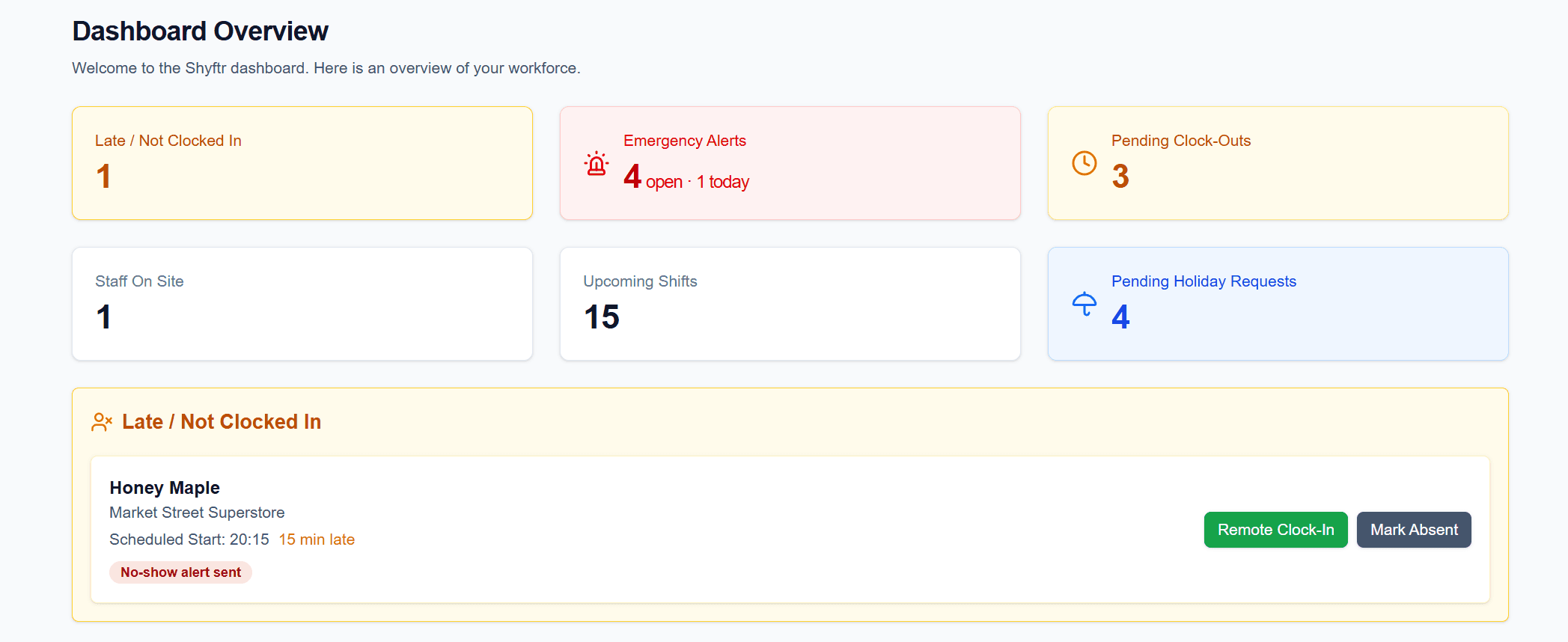
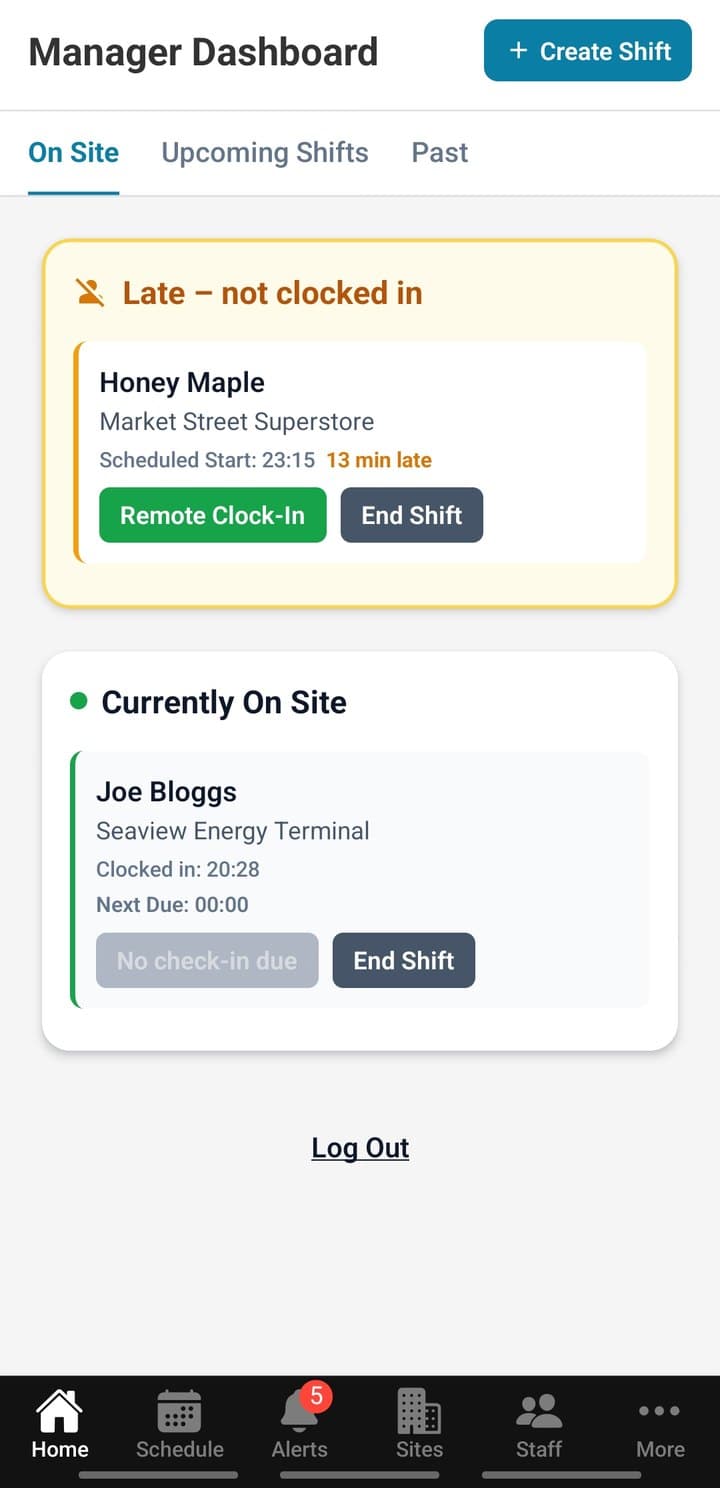
One screen for the shift that's happening now. See who's late, who's on site and what needs a decision, and act on it without picking up the phone.
- Who is on site and who hasn't clocked in yet
- Remote clock-in from the late list
- Shifts starting soon
- Early clock-outs flagged for review
- The same live view in the app for managers on the move
A pay run you can check before it goes out
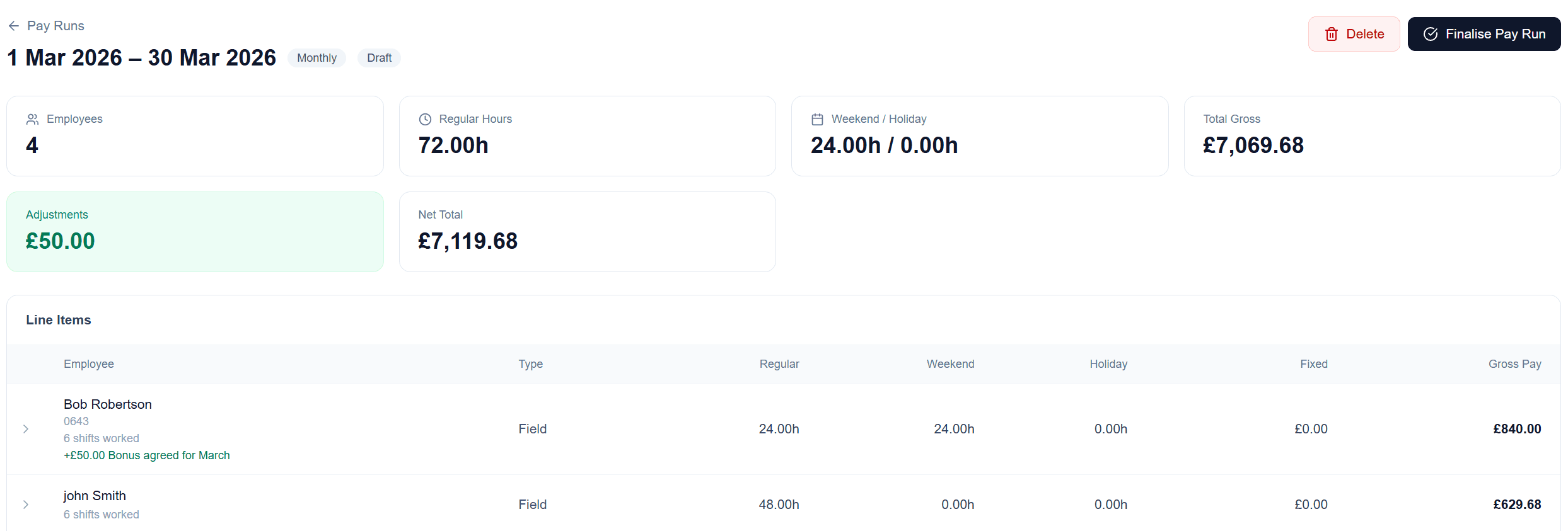
Every shift in the period goes into one draft run, split into regular, weekend and holiday hours. Check it, add any adjustments, then finalise and export a CSV in a Sage and Xero compatible format.
- Pay rates per site and role, with weekend and bank holiday premiums
- Field, fixed hourly and salaried staff in one run
- Changes after export are recovered in the next run
- Manual additions and deductions, with a note for payroll
Figures are estimates for your payroll provider or accountant to check. Shyftr doesn't work out PAYE, National Insurance or pensions.
- Employee portal
- Staff see their own schedule, holidays and personal details.
- Clients and sites
- Each site has its own geofence, pay roles and rates.
- Roles and permissions
- Decide who can view, edit or approve each part of the portal.
- Built for UK GDPR
- Row-level security keeps each company's data separate, and National Insurance numbers are stored encrypted.
Built from the inside of the industry
Made by someone who's done the job
Shyftr is built by someone who works in UK security, not by a general HR software company.
Lone-worker safety included
Welfare check-ins and missed check-in alerts come with every plan, including the free one.
No quotes, no sales calls
The prices are on this page. Sign up and build your first rota today.
Up and running this afternoon
- 1
Add your sites and staff
Set up client sites with their geofences, add pay roles, and invite your team.
- 2
Build the rota
Drag shifts onto the calendar or repeat them from templates. Staff see their shifts in the app.
- 3
Run the period
Approve shifts, check holiday pay and export a CSV for your payroll provider.
Prices you can see before you sign up
Start free. Paid plans for larger teams are on the way, at these prices.
Free
Available nowUp to 5 employees
- Every feature on this page
- Web portal and mobile app
- No card needed
- Email support
Starter
Coming soonUp to 20 employees
- Everything in Free
- Priority support
Growth
Coming soonUp to 50 employees
- Everything in Starter
- Dedicated support
Beta testers get lifetime access for up to 50 employees. Want in? Email admin@shyftr.app.
Questions
More detail in the help guides, or email admin@shyftr.app.
Is the free plan really free?
Yes. Up to 5 employees, every feature, and no card to sign up. Paid plans for bigger teams are coming soon.
Is Shyftr a payroll system?
No. Shyftr works out estimated pay from your rota and pay rates and exports it as a CSV. Your payroll provider or accountant runs payroll and works out PAYE, National Insurance and pensions.
Do my staff need the app?
Staff use the mobile app to clock in and out, make welfare check-ins and request holiday. The app is coming to Google Play first, with the App Store to follow. Staff can already see their schedule and holidays in the web portal.
How is holiday pay worked out?
From the employee's average over the previous 52 paid weeks, including weekend and bank holiday premiums. You can see the calculation before you approve, and the help guide explains every step.
Is it only for security companies?
Security is where Shyftr started, but it suits any team working shifts across client sites, including cleaning and facilities.
We're on spreadsheets now. How long does it take to switch?
Add your sites and staff, then build your first week in one sitting. There's nothing to install for managers, and if you get stuck, email us and a real person will reply.
Put next week’s rota in Shyftr
Free for up to 5 employees. No card needed.